
The Antigravity A1 is what you get when Insta360’s 360-degree camera DNA grows wings — and flying starts to feel like a video game. Now spun off into its own brand, Antigravity’s first drone is an ambitious launch: a three-part kit built around a drone that shoots 8K 360-degree video, plus FPV goggles and a motion controller.
Taking on DJI’s dominance in consumer drones is no small task. Antigravity’s strategy is to lean into its strengths: 360 capture and smartphone-first editing. Much of the A1’s appeal comes from recording everything around you in 8K, letting you reframe, cut, and reposition footage later — ideally making it harder to miss the moments you’re trying to capture. It’s also genuinely fun, assuming you can push past the initial setup friction, firmware quirks, and the learning curve.
Antigravity A1
Antigravity’s first FPV drone is playful, distinctive, and loaded with features — and there’s nothing else quite like it.
Pros
- Fun to fly
- Intuitive controls
- Unique features
- Sharp, clean video (in good conditions)
- Excellent editing tools on mobile and PC
Cons
- Setup can be finicky
- Video quality trails traditional “video-first” drones
- Pricey
The drone
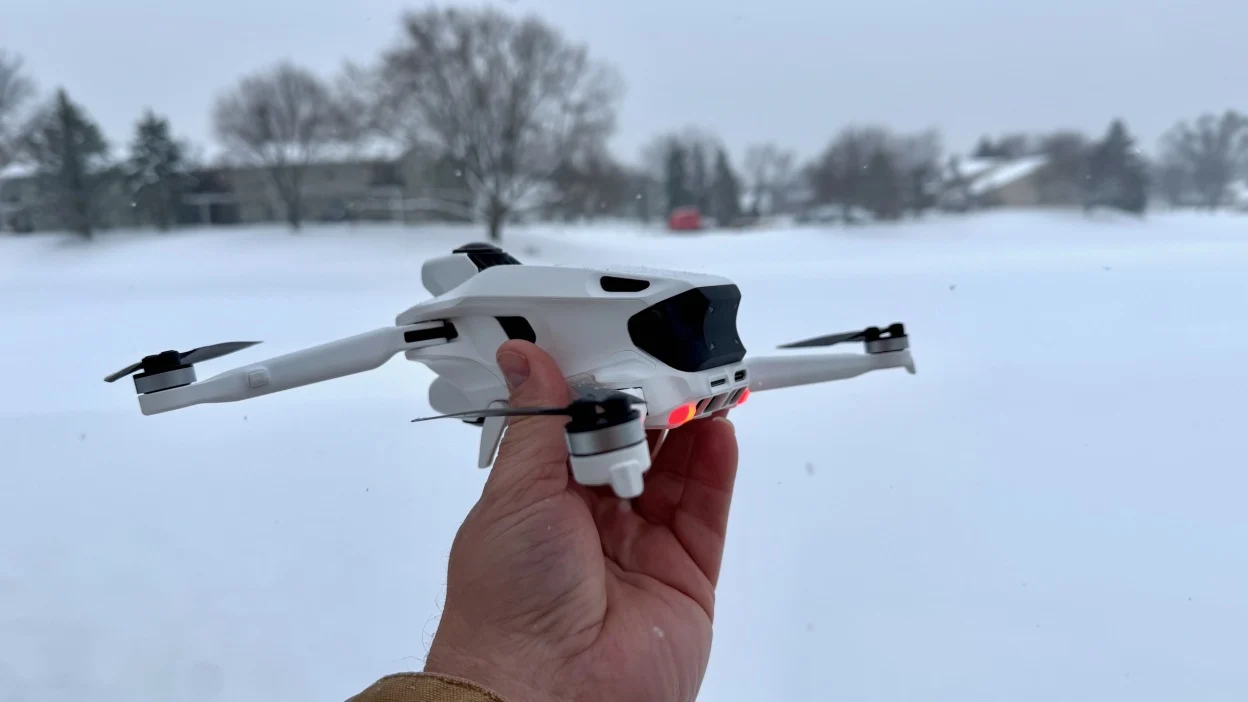
The A1 weighs just 249 grams (0.548 lbs), which may help it avoid some regulatory hurdles — though rules vary depending on where you fly. One of its signature design choices is a pair of cameras mounted on the top and bottom of the body. That makes direct comparisons tricky, since the A1 blends features from multiple drone categories while adding a few tricks of its own.
It captures 360-degree footage at up to 8K, and drawing on Insta360’s action camera experience, it can digitally erase the drone body from the shot. In practice, that means your footage won’t show propellers — or the drone itself.
Two landing gears along the base automatically drop when you begin landing, although you need to manually retract them before launching again. You can also control the landing gear using one of the controller’s many buttons.
The removable battery includes a one-touch gauge for checking charge and delivers more than 20 minutes of flight time depending on conditions and whether you’re filming. Antigravity claims up to 24 minutes in typical recording use. My review unit included two extra batteries and a charging dock. Swapping batteries is simple, and the dock can fully charge a single cell in about 45 minutes while also supporting three batteries at once. A microSD card slot sits at the back of the drone alongside a USB-C port for slow battery charging.
The cameras use a 1/1.28-inch sensor, an f/2.2 aperture, and an ISO range of 100 to 6,400. If you want manual control beyond auto settings, you’ll need to dig through menus inside the goggles — a process that can feel clunky when using a gesture-based controller. That said, auto ISO and white balance generally hold up well. More advanced creators can tweak exposure with tools like a histogram toggle and zebra stripes for highlighting blown-out areas. The A1 can record 8K video at up to 30fps, 4K at up to 100fps, and also offers a 5.2K middle-ground mode.
You also get three flight modes selectable from the controller. Normal mode covers the basics. Sport mode boosts top speed, increases sensitivity, and disables obstacle avoidance. The difference is immediately noticeable: Sport mode roughly doubles the A1’s horizontal speed compared to Normal. There’s also a Cinematic (C) mode with reduced speed for smoother-looking footage.
The controller and goggles
The flight mode switch is only one of many buttons, wheels, sliders, and controls spread across the grip-style controller. But the main way you pilot the A1 isn’t through sticks — it’s through gestures.
Instead of pushing joysticks, you aim where you want the drone to go using a reticle and pull the trigger. The A1 then darts in that direction. Crucially, that direction doesn’t have to match what you’re “looking at” from the drone’s perspective. You can strafe and move freely without being locked to a fixed camera view. The feeling is unlike most drones I’ve flown — closer to a video game, like piloting a helicopter in GTA 5. You can look around while moving or hovering, with no sense of being tethered to static forward-facing cameras.
There are dedicated controls for recording, vertical movement, and rotating your POV without turning your head. There’s also an RTH (return-to-home) function accessible by long-pressing the emergency brake button.
The included goggles deliver a sharp view using dual 1.03-inch micro-OLED displays with a 2,560 × 2,560 resolution and a 72Hz refresh rate. Many FPV goggles hit 100Hz, but it didn’t feel like a dealbreaker. I also expected latency hiccups could trigger motion sickness, but I didn’t experience that — and I suspect the ability to control your view helps reduce nausea.
A smart addition, especially for group flying, is a circular external display on the goggles so others can see roughly what you’re seeing. It can’t represent the full pilot view, but it’s better than forcing friends to stare at someone else flying in silence. One eyepiece also doubles as a touchpad, letting you navigate menus without aiming the controller.
Performance
In pure spec terms, the A1 doesn’t always match rivals. Even in Sport mode, it tops out just under 36 mph, well below drones like DJI’s Avata 2, which can hit 60 mph.
Even so, I was surprised by how responsive the A1 felt, particularly in Sport mode. A more sensitive FPV mode (enabled through the goggles) was added in a recent firmware update, though I haven’t had enough time with it yet. For someone with more gaming experience than drone hours, Antigravity’s control philosophy feels instantly natural. I could fly where I wanted, confident both in the controls and in the idea that I’d capture what I needed. Antigravity claims a 10km transmission range, though I couldn’t test that boundary in central London.
Getting started, however, can be unnecessarily tedious. Pairing requires a strict sequence — power on the drone, then the goggles, then the controller. Powering devices off is also oddly unintuitive: instead of a long press, you do a press-once, press-again-and-hold routine that I forgot almost every time.
Transferring video to your phone is also a pain, though that’s not unique to this drone. Antigravity tries to help with a microSD quick reader that plugs into phones and PCs via USB-C.
At least during testing, manually pulling the microSD card wasn’t just an option — it was often the only reliable method. The drone repeatedly failed to connect to the companion app and transfer files consistently. Some clips seemed to vanish between firmware updates, only to return later. Another file was split into two separate circular clips, one from each camera, effectively making it useless. Ideally, these early-stage issues have been resolved through updates and won’t affect retail units.
That instability is frustrating, because both flying the A1 and using Antigravity’s editing tools are remarkably beginner-friendly. This echoes what I’ve said about Insta360 action cameras before: being able to add barrel rolls or tilt rotations with a single tap is simply fun. And because you can reframe footage, warp perspective, create tiny planet effects, or crop into a more traditional cinematic view, Antigravity’s software offers near-limitless ways to present drone video. Deeptracking works both while recording and in post, keeping a moving subject or point of interest centered as the drone moves.
There are also AI-assisted editing features designed to turn your 20 minutes of raw flight footage into something shorter and more watchable with minimal effort. And because it’s 360 video, it’s easy to crop exports for both horizontal and vertical formats.
Still, the A1 isn’t the best option if your primary goal is pristine image quality. With a smaller sensor and 8K spread across a full 360-degree field of view, it can’t match video-first drones. Footage looks crisp in strong daylight and well-lit environments, and even gloomy British November conditions didn’t ruin results. But because the A1 stitches together output from two sensors, you’ll sometimes see a visible seam — usually minor, but potentially a dealbreaker for creators chasing the cleanest possible aerial footage. Shooting later in the day introduced more noise and less detail. Cinematic mode and slower flights help, but they can’t fully compensate for the reality that the sensors are covering extremely wide angles. Traditional drones built around a single camera will produce cleaner results and perform better in challenging light.
Wrap-up
The Antigravity A1 is available now. The standard bundle — drone, controller, and goggles — costs $1,599. The Infinity Bundle ($1,999) adds two extra batteries, a quick reader dongle, a sling bag, and a charging dock. That makes it significantly more expensive than FPV rivals like the DJI Avata 2, but the A1 also isn’t trying to be the same kind of drone.
Its controls and full freedom of view make it feel genuinely different from anything else on the market. It’s a joyful entry point into drones — FPV or otherwise — but it’s disappointing that software instability affected my testing. The setup process can also be convoluted and irritating.
If Antigravity is already thinking about a follow-up, I’d love to see a version with camera performance that can go head-to-head with similarly priced DJI drones. Still, that doesn’t diminish what the company has done here: the A1 is arguably the most interesting consumer drone to land since the Mavic Pro.