
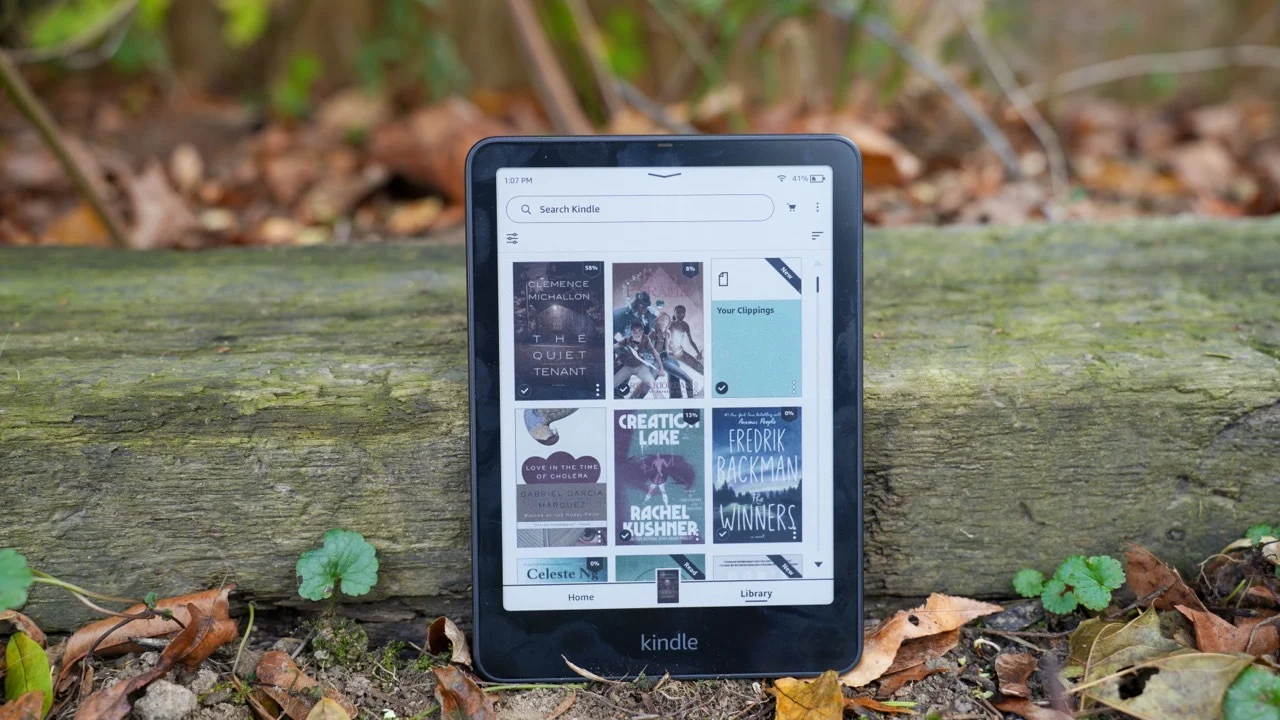
In a world where notifications constantly fight for our attention, distraction-free ereaders and writing tablets have carved out a following. Setting aside your phone, laptop, or iPad to curl up with a Kindle or a reMarkable has become an almost ironic way for tech-savvy users to tune out the noise and focus on reading or writing. How wide the appeal really is remains open to debate, but even within this seemingly small corner of the market, competition is intense.
Amazon is the biggest name in the category, with Kindles dominating the ereader space for years. When it launched the Kindle Scribe in 2022, it also pushed into the growing E Ink writing tablet segment. Then, last year, Amazon introduced its first color ereader with the Kindle Colorsoft. Combine reading, writing, and color, and you get Amazon’s latest challenger: the Kindle Scribe Colorsoft.
This time, Amazon expanded the Scribe family by releasing three new models at once. The entry-level version is a black-and-white tablet without a front light for $430. Add a front light for $70 more, and the Colorsoft model costs $630. All three include upgrades over last year’s Scribe, but this review focuses primarily on the Colorsoft, since it includes every new feature.
As with earlier Scribes, Amazon doesn’t label this generation numerically, calling the lineup simply the “all-new Kindle Scribe,” and adding “Colorsoft” only to the color model. To reduce confusion, I’ll occasionally refer to this iteration as the Scribe 3, and last year’s version as the Scribe 2.
Editor’s note: Because I only received the Kindle Scribe Colorsoft on December 7 due to shipping delays, I’m not assigning a score yet. My colleague Valentina Palladino received the new Kindle Scribe a few days earlier and contributed testing and impressions to this review. It’s also important to note that some features — including “Send to Alexa+,” “Story so far,” and “Ask this book” — aren’t available to test yet. We’ll update this review with a score after more time with the device, including a deeper look at battery life and the practical value of the new software tools.
Amazon’s color E Ink writing tablet is technically impressive, but a few limitations keep it from reaching its full potential.
Pros
- Bright, vivid colors
- Snappy performance
Cons
- Expensive
What’s new with the Kindle Scribe Colorsoft
Beyond the obvious addition — the Colorsoft can now display color — the newest Kindle Scribes also bring a refined design, a better front light system, updated screen architecture, a new quad-core chip, more memory, and Oxide display technology. The screen is larger at 11 inches, up from 10.2 inches on the prior model, while the device is 33 grams lighter, weighing 400 grams (0.88 pounds). There’s also a redesigned Home screen with a Quick Note section for faster entry into the writing interface, along with a set of software and AI features that aren’t available to test yet.
Many of those hardware changes translate into a quicker, more responsive device. In my testing, the Colorsoft handled AI summarization and handwriting refinement a bit faster than the Scribe 2, which I attribute largely to the processor. I also noticed smoother, more fluid writing overall.
Drawing on the Scribe Colorsoft reminded me of trying pens at bookstores as a kid. Amazon’s stylus feels like a pen with ink that glides consistently, and the combination of the nib and the screen texture creates a satisfying smoothness with minimal resistance.
Amazon says the Premium Pen included with the Scribes has been refined with a thicker, more rounded shape. With the new Oxide display, the Colorsoft has a 14ms screen response rate, while the non-Colorsoft Scribe 3 models hit 12ms — both noticeably improved over the 20–21ms response time on the Scribe 2. That’s likely the biggest reason the new Scribe feels more responsive and why writing feels so smooth, though the updated front light may also contribute to that sense of freshness.
On that note, I compared the Scribe 2 and Scribe Colorsoft side by side at a friend’s house, and the difference was clear. Near a window in direct sunlight, both looked similarly bright, with the glare-free finish you’d expect. But in a dark bedroom, the Colorsoft’s auto-adjusting front light kicked in and made reading far easier. Colors looked more vibrant, and while the light seemed slightly cooler with a faint blue tint, I wouldn’t have noticed without the comparison. You can also adjust warmth here, as with other Kindles.
One complaint I had in my Scribe 2 review was the weak magnetic attachment that holds the pen to the tablet. Amazon still hasn’t added a built-in slot or holder, but it did strengthen the magnets on the Scribe 3. I noticed this during my October hands-on, and in everyday use it helped keep the Premium Pen more securely attached to the Scribe Colorsoft. I still prefer a more reliable physical storage solution, since I worry about losing the stylus in my bag and don’t want to buy a case solely for that. Still, it’s a minor gripe, and the stronger magnets go a long way.
I still need to test features like Send to Alexa+, Ask This Book, and Story So Far, since they aren’t available yet. For now, I’ve focused on the Notebook section, and I also need more time marking up books to evaluate that workflow properly. But not much has changed since Amazon introduced collapsible margins in February, and you can read my Scribe 2 review for those impressions.
The new Home page and AI-powered Notebook search
So far, I can speak to one of the biggest additions: AI-powered Notebook search. The search bar at the top of the device can now answer questions about the contents of all your notebooks (and books). When Amazon announced this feature, I expected it would help me pull together tasks assigned to team members across the event to-do lists I’d written.
When I asked, “what tasks have I assigned Sam,” the results page showed six categories — pulling from my library, notebooks, the Kindle Store, the Audible Store, Goodreads, and text inside books. Only the notebooks section returned anything useful. Under “Results in your notebooks,” there was a label for “AI-powered insights,” followed by a header reading “Sam’s Assigned Tasks,” and then a bulleted list I’ll transcribe here:
- Add content to CES sheet
- Handle KPBP company set
- Track Samsung mobile developments
- Handle OnePlus 13
- Review device during CES
- Attend meetings with: – Dell & ASUS on Thursday, MSI, Razer, HP, Lenovo, Potentially Sony Ateela
- Work on Sam Qi 2
- Best-Sam host responsibilities
I quickly realized I’d need to refine my questions to get answers that were more usable, since tasks pulled out of their original documents lose context fast. There was a button prompting me to “Ask Notebooks” about “these insights, or ask something else,” but tapping it simply brought up a similar page with the same list and an additional section showing where the notes came from.
It’s also worth noting that this task list wasn’t the same result I got when I asked “where do I mention Sam?” Beyond the to-do lists from December 2023 and January this year, the Scribe also told me “Sam appears on a Christmas shopping list as one of the checked-off friends.”
That’s fairly impressive, since the list had Sam under a handwritten “Friends” header rather than other pages titled “Gym” or “Neighbors.” But it also seemed that the device only recognized Sam as checked off because of the notebook template I used. Other check marks I made outside the predefined boxes were misread as dashes. Later, when I asked where my friend Michelle appeared, the Scribe returned “Michelle-scart” on a holiday shopping page.
Trying again produced better results, with the Scribe correctly stating that “Michelle appears in a list with ‘scarf’ noted next to her name.” Still, whether the issue is my messy handwriting or the system’s limitations, it continued to misread some entries, such as “Michelle-callin” instead of “Michelle — Callie.”
At this point, the AI-powered Search feels inconsistent. Sometimes it’s impressively accurate, especially when I followed the suggested questions it offered. “Try asking ‘which Ariana song is mentioned in the list,’” it prompted. Or “When is the HOA meeting occurring?” In the first case, it identified “Bang Bang” from a karaoke list, and in the second it pulled a date and time from a note titled “Appointments Dec 2022.” I need more time to determine how I’d actually use this feature day to day, because right now it feels helpful only with extra effort.
I’ve already tested the Summarize and Refine tools introduced on the previous Scribe, so I’ll just say that refining handwriting on the Colorsoft feels largely unchanged, just slightly faster. I barely used those tools in the year since my Scribe 2 review, and that reinforces my earlier conclusion that they aren’t essential for daily use.
What I expected to be more useful is the redesigned Home screen, especially the Quick Note section in the top-left corner. Again, I need more time living with the interface, but in general I find it easy to jump in and out of notes without relying on the Home page. I’d rather have a physical shortcut, like Montblanc offers on its Digital Paper tablet, where you can program pen buttons to start a new note, add a blank page, or return home.
You can customize the button on Amazon’s Premium Pen, but the options are limited to switching tools — highlighter, pen, shader, or eraser — while writing. (And like before, you can still erase using the top of the pen without pressing any button.)
One final Home screen note: seeing rows of book covers in color is genuinely enjoyable. It doesn’t change functionality, but it adds a welcome layer of visual appeal.
How does the Kindle Scribe Colorsoft compare to competitors?
One of the Colorsoft’s main rivals is the reMarkable Paper Pro. It has a larger 11.8-inch screen and weighs significantly more at 525 grams (1.16 pounds). I prefer the sharper design of the reMarkable, but the Kindle’s smaller size is easier to manage, especially when writing for more than a few minutes.
More importantly, the Kindle Scribe Colorsoft has the stronger display. It produces brighter, more saturated colors and supports a wider range of hues. Side by side, the Paper Pro appeared to have a yellow cast and a dimmer look overall, even at maximum brightness. And when highlighting on the reMarkable, there’s a noticeable “flash” where the screen briefly updates before the final color settles. On the Colorsoft, the color appears immediately and stays consistent — no flashing.
The Scribe also benefits from better performance and Amazon’s ebook ecosystem, particularly for anyone already invested in Kindle titles. It offers AI tools that reMarkable doesn’t, but I’m generally cautious about these features, and — as described above — I don’t find them consistently useful.
Where reMarkable still wins is writing software. It’s far more flexible, especially in letting typed and handwritten text coexist in the same document. You can also edit notes from the reMarkable phone app, adding text, applying formatting, and making last-minute updates. Power users can also load ebooks easily if they have EPUB files. The downside is cost: you’ll need to pay $3 a month for its Connect subscription to keep access to many of those features.
It’s also worth mentioning Kobo and Boox, both of which make color ereaders that support writing. Boox’s Note Air 5c starts at $530 and includes a stylus and magnetic case. It supports Google Play Store apps, but as our deputy editor Valentina Palladino has cautioned, it isn’t the most beginner-friendly option. Kobo’s Libra Color supports stylus input too, but it’s far smaller with a 7-inch display.
If color isn’t important, there are plenty of black-and-white E Ink writing tablets, including the $905 Montblanc Digital Paper I’ve been testing. That one is clearly a luxury product for a far narrower audience than the already niche target market for these devices. If budget is a concern, I’d skip the Colorsoft model unless color is truly central to your workflow. Around $500 is a much easier price to justify.
Who should buy the Kindle Scribe Colorsoft?
I’m reluctant to recommend any product before spending enough time to score it, especially since battery life takes longer to judge. While I continue testing, I’ve already noticed that — like earlier Scribes — this version doesn’t last as long as other Kindles. Amazon promises “weeks” of reading and writing per charge, which could mean anything from two weeks to ten (or more).
In my current use, the Scribe Colorsoft dropped around 20 percent in two days, which suggests it might struggle to last even a week under heavy usage. But because the Scribe 2 showed similar early drain during my review and still manages at least a month when I’m not testing it constantly, I’m willing to believe Amazon’s longer-term claims.
Battery questions aside, the Kindle Scribe Colorsoft is capable and largely delivers what it promises. The biggest drawback is price. At $500 for monochrome and $630 for color, this is one Amazon product that can undercut its own value proposition by costing more than competitors.
Still, it has real strengths. I think of the Scribe 3 (and Colorsoft) as an E Ink notebook first, and an ereader second — with the bonus of Amazon’s extensive library. The AI features aren’t essential, but they also don’t get in the way. For anyone who wants the best color E Ink writing tablet available right now and doesn’t mind paying extra, the Colorsoft is worth considering.
If you want a more powerful and versatile writing-first tablet that isn’t primarily a Kindle replacement, the reMarkable Paper Pro remains the better pick. And if you don’t mind apps, alerts, and notifications — the very distractions these devices are designed to avoid — you can always go with an iPad or Android tablet paired with a stylus. Keep your apps minimal, block notifications, and you may save hundreds of dollars.
Wrap-up
I hate to admit it, but Amazon’s devices and services chief, Panos Panay, was right to describe the Kindle Scribe as a 2-in-1 — though those two functions are narrowly defined. I still see Scribe devices as Kindles first. They’re ereaders, replacing piles of physical books with a digital library and an eye-friendly screen. The second role they fill well is as a notebook substitute: endless digital paper with search that can actually help you locate something you wrote years ago.
Where Amazon still falls short is in making ebook annotation feel natural. Marking up a textbook on the Scribe remains clunky, relying on sticky notes, collapsible margins, and inserting text boxes into lines of text. And unlike reMarkable, you can’t easily edit your notes on a phone when you’re away from the device.
So the Kindle Scribe 3 isn’t a three- or four-in-one — and that’s fine, especially without paying extra for color. The Colorsoft model is currently ahead of rivals on display quality, but it also demands a premium. If you want the best color E Ink writing tablet available and you’re willing to splurge, the Kindle Scribe Colorsoft is worth a look.